Give guests a menu that works on their phone.
Find your restaurant, add clear menu photos or a PDF, and review a private mobile menu before anything goes live.

Choose the exact place from Google Maps.
Preparing your private setup…
Preparing your private setup…- No sign-up to start
- Private until you approve
- Free to publish
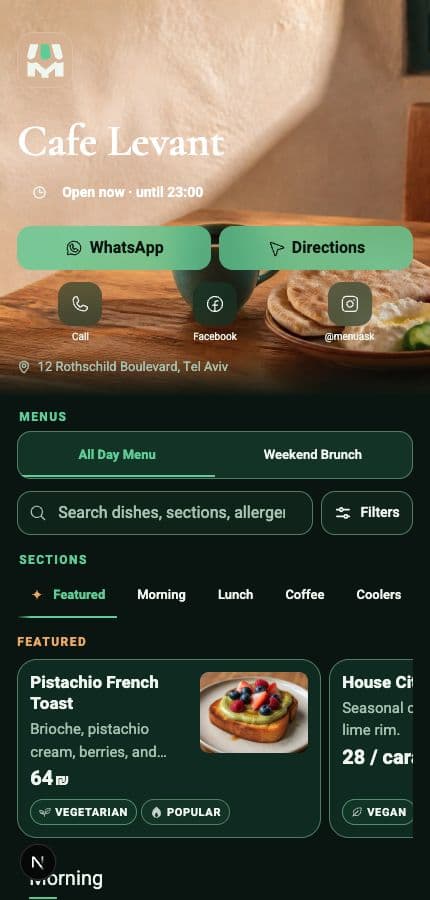
Demo restaurant · Real MenuAsk guest view
- Made for phonesClear from the first tap.
- One permanent linkKeep it when the menu changes.
- QR readyDownload it and share it anywhere.
- Owner approvedNothing goes live before you decide.
How it works
From your current menu to a live one in three steps.
Start with what you already have. Your draft stays private until you are ready.
- 01
Find your restaurant
Choose the exact place, then add menu photos or one PDF.
Google Maps · Photos · PDF - 02
Review privately
Check every section, dish, price, and image.
Private until approved - 03
Publish and share
Use one stable link and QR. Edit and publish again when needed.
One link · Same QR
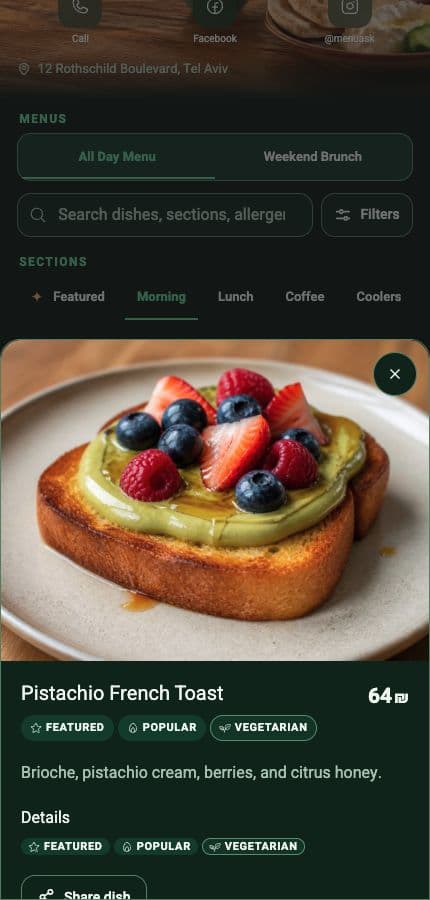
Guest menu
One menu guests can actually use.
Clear sections, quick search, useful dish details, and restaurant actions — built for the phone already in their hand.
- No app required
- Fast search and browsing
- Clear prices and dish details
- Contact and directions in one place
Simple pricing
Publish free. Add AI when you need it.
The core menu stays free. Pro adds paid AI help when it saves you time.
Free
No payment details
Create, publish, and update manually. Keep your public link and QR.
- One public menu
- Manual edits and publishing
- Stable link and QR
Questions
Is publishing really free?
Yes. Publishing, manual updates, the public link, and the QR stay Free. Payment starts only after a Pro checkout.
Will MenuAsk publish without me?
No. Imported or AI-assisted work stays private until you review and publish it.
Can I update the menu later?
Yes. Edit the draft and publish again. The public link and QR stay the same.
Do guests need an app?
No. The menu opens in a normal phone browser.
Start with your restaurant.
Choose the exact place and add your menu right here.